> ## Documentation Index
> Fetch the complete documentation index at: https://docs.sub.jerrylu.xyz/llms.txt
> Use this file to discover all available pages before exploring further.
# Introduction
> Subscription Manager helps you track recurring subscriptions, renewal dates, and spending, with multi-currency analytics, AI capture, reminders, and multi-device sync.
# Subscription Manager
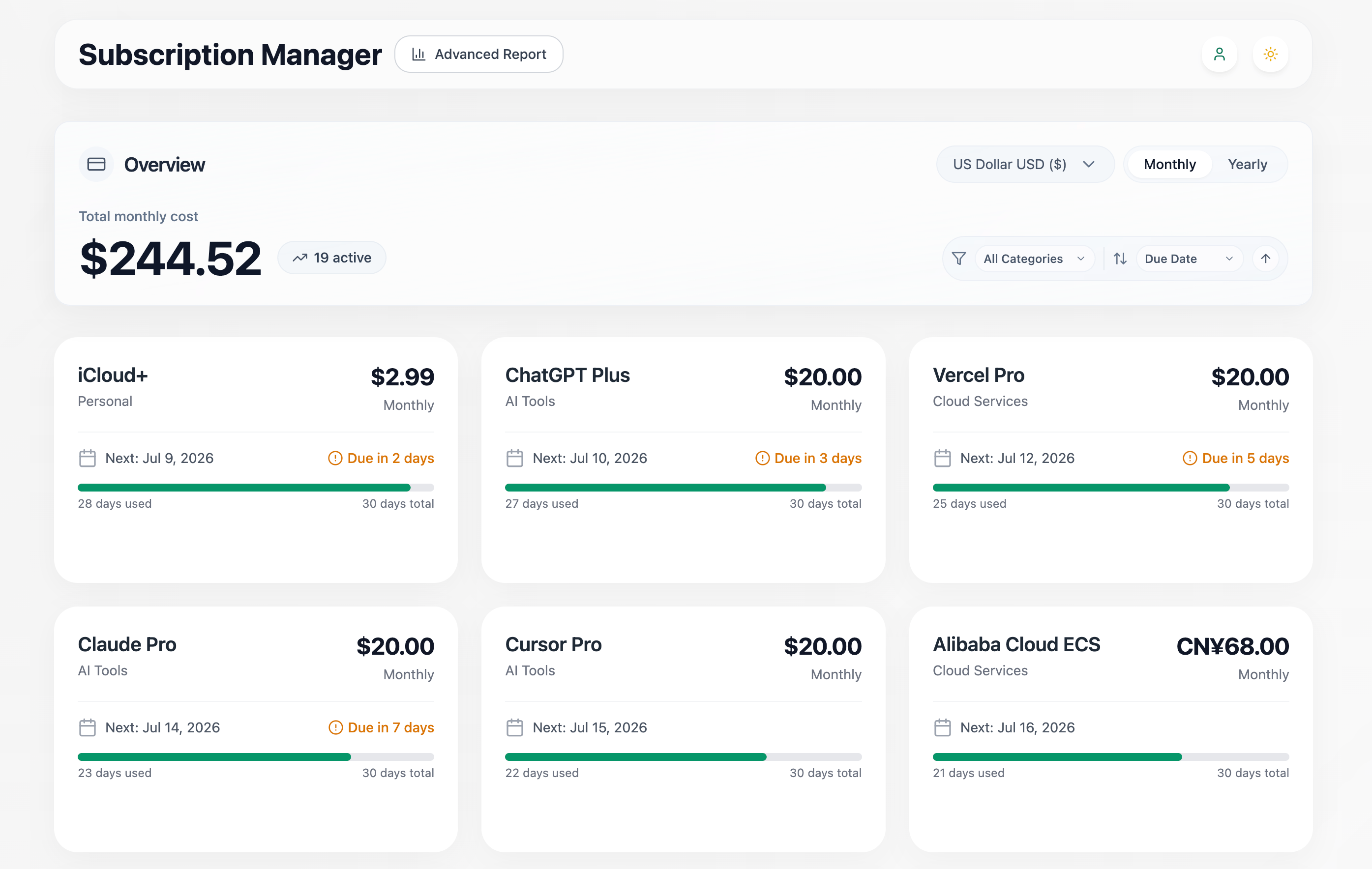
Subscription Manager helps you keep track of recurring subscriptions: what you pay for, how often it renews, when the next payment is due, and how much it all costs in your chosen currency.
Your data stays in your browser by default, and the app works fully without an account. When you want to use it across devices, sign in to enable cloud sync.
 ## What you can do
* Track subscriptions with category, amount, currency, billing period, and renewal date.
* Review monthly and yearly totals in a selected base currency.
* Convert between CNY, USD, EUR, JPY, GBP, AUD, CAD, CHF, HKD, and SGD.
* Sort and filter subscriptions by name, amount, renewal date, category, or creation date.
* Manage built-in and custom categories.
* Use AI capture to add or update subscriptions from a piece of text or a screenshot.
* Export print-ready A4 [PDF reports](/en/user-guide/reports) of your spending.
* Import and export subscription data as JSON for backups and migration.
* Sign in to sync your data across devices.
* Receive push reminders for upcoming renewals through Bark.
* Create Developer API keys for automation through the public API.
## Start here
Learn how to manage subscriptions, use AI capture, reminders, backups, and sync.
Common questions about where data lives, backups, sync, and privacy.
## For developers
Run the app locally or deploy your own instance, enabling hosted features as needed.
Integrate subscription data with scripts, agents, or third-party tools. Endpoint details live in the [API Reference](/api-reference).
## What you can do
* Track subscriptions with category, amount, currency, billing period, and renewal date.
* Review monthly and yearly totals in a selected base currency.
* Convert between CNY, USD, EUR, JPY, GBP, AUD, CAD, CHF, HKD, and SGD.
* Sort and filter subscriptions by name, amount, renewal date, category, or creation date.
* Manage built-in and custom categories.
* Use AI capture to add or update subscriptions from a piece of text or a screenshot.
* Export print-ready A4 [PDF reports](/en/user-guide/reports) of your spending.
* Import and export subscription data as JSON for backups and migration.
* Sign in to sync your data across devices.
* Receive push reminders for upcoming renewals through Bark.
* Create Developer API keys for automation through the public API.
## Start here
Learn how to manage subscriptions, use AI capture, reminders, backups, and sync.
Common questions about where data lives, backups, sync, and privacy.
## For developers
Run the app locally or deploy your own instance, enabling hosted features as needed.
Integrate subscription data with scripts, agents, or third-party tools. Endpoint details live in the [API Reference](/api-reference).